
Hatch Sleep
Hatch SleepLifestyle
4.06.58K Reviews
- Version
- 6.32.1
- Installs
- 1.00M
- Age Rating
- Everyone
Screenshots
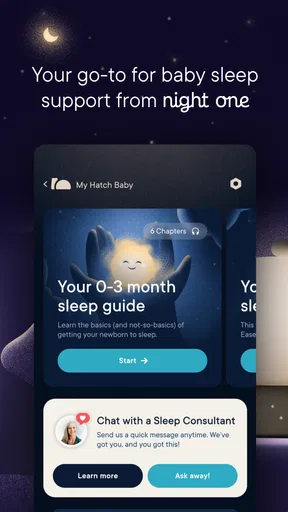
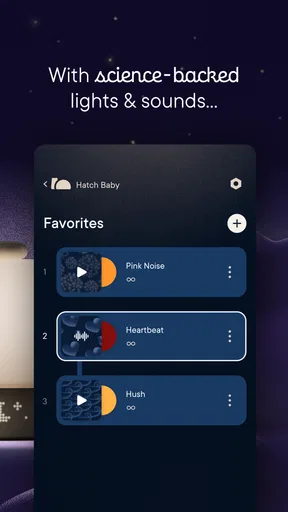
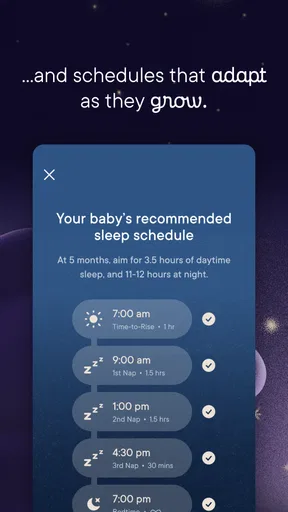

Our Review of Hatch Sleep
 Analysis by Appyee
If you're anything like me, getting a good night's sleep can sometimes feel like a mission impossible. Enter the Hatch Sleep app, a nifty tool that promises to transform your bedtime routine. I've been using it for a bit now, and I'm here to give you the lowdown on this sleep-enhancing wonder.
A sleep routine, not a magic fix
My main takeaway is that Hatch Sleep works best as a cue for winding down and waking up, rather than as a cure for poor sleep. A familiar sequence of sound and light can make the edges of the day feel calmer, especially if I tend to keep scrolling or thinking about tomorrow after getting into bed. The value is in making a routine easier to repeat; the app cannot make a noisy room quiet or solve a schedule that leaves too little time for rest.
That distinction matters when deciding whether to try it. If you already sleep comfortably and only want a basic alarm, the extra bedtime controls may feel unnecessary. If your evenings are inconsistent, though, having one place to shape a more predictable transition from activity to rest can be genuinely useful.
What is Hatch Sleep All About?
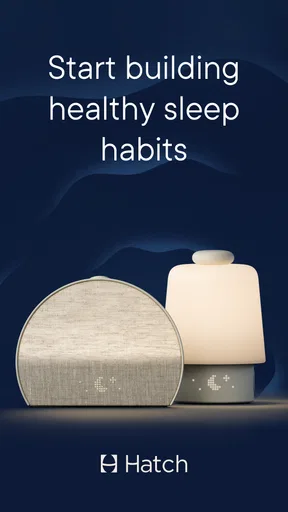
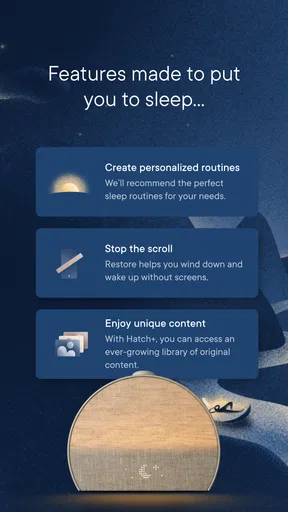
The Hatch Sleep app is designed to help you create the perfect environment for a restful night. It combines a smart alarm clock, sound machine, and bedside reading light all into one sleek package. The idea is simple: make bedtime relaxing and wake-ups gentle.
Setting Up the App
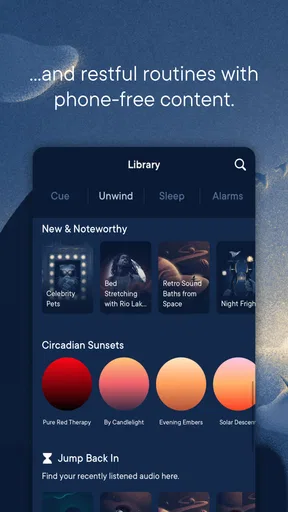
Setting up the app is a breeze. Once you download it, you're guided through a few quick steps to personalize your sleep experience. You can choose from a variety of soothing sounds, such as white noise, ocean waves, or even a gentle lullaby, which is perfect for both kids and adults.
A useful way to approach setup is to begin with one change rather than building an elaborate routine straight away. I’d pick a sound that feels unobtrusive, use it consistently for a few nights, and only then decide whether a light or a different bedtime cue adds anything. This makes it easier to tell which part is helping and avoids turning preparation for sleep into another task to manage.
For households sharing a room, sound choice is a practical consideration, not just a matter of taste. A steady, low-key sound may be less distracting than a track with noticeable changes, while a lullaby may make more sense for a child’s bedtime than for an adult who prefers quiet. I’d also keep the phone within reach for controls but avoid making late-night adjustments a reason to start browsing or checking notifications.
Features That Stand Out
One of the coolest features is the smart alarm. Instead of a jarring noise that shocks you awake, the Hatch Sleep app uses gradual light and sound to gently rouse you from slumber. It’s like having a personal sunrise every morning, which is pretty darn nice.
The gradual wake-up is most appealing if abrupt alarms leave you tense, or if you want a gentler start before a busy morning. It is still an alarm, not a promise that every wake-up will feel effortless: a short night, an irregular schedule, or a sound that does not suit you can still make mornings hard. I’d treat the settings as something to tune over several mornings rather than expect one choice to work perfectly from day one.
The app is part of a wider sleep setup rather than a standalone meditation library. Hatch Sleep is a Lifestyle app from Hatch Sleep, and its central idea is to bring bedtime sounds, light, and waking into one routine. That makes it different from a general audio app, where you may have a larger range of listening choices but need to manage your sleep cues separately. If you want an all-purpose collection of music or podcasts, a regular audio service may be the more flexible option.
The app is free to download, with in-app purchases ranging from $4.99 to $99.99 per item. I’d check what is included in the experience you want before paying for anything, and decide whether the available sounds or routine controls solve a real problem for you. Someone who only needs a simple alarm or a free sound loop may not get enough extra value from paid content to justify it.
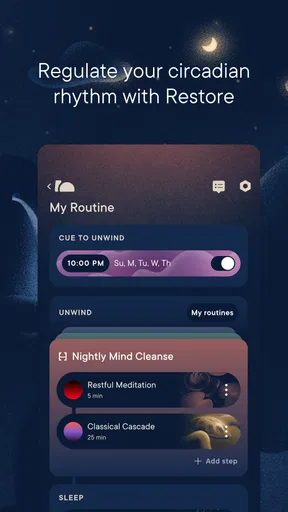
The app also offers a customizable bedtime routine. You can set it to play your favorite sleep sounds or read you a bedtime story. Yes, adults can enjoy bedtime stories too! It’s a great way to relax and unwind after a hectic day.
One realistic use is to make the routine a boundary between work and sleep: when I finish late, I can choose a short, familiar wind-down rather than trying to invent a new ritual while tired. For parents, a repeated sound or story can also help signal that the day is settling down, though it works best when the rest of the household routine supports it. If a story keeps you engaged when you would rather switch off, a simple sound may be the better choice.
Making It Work in Everyday Life
For a practical trial, I’d keep the same bedtime cue for several nights, then change just one setting if it is distracting. This is a small but useful way to avoid confusing novelty with effectiveness. If a sound feels soothing at first but starts to irritate you, swap it; there is no prize for sticking with a choice that makes you more alert.
It also helps to think about the morning before choosing an alarm routine. If you have to get up at different times across the week, a routine that needs regular adjustment may become a chore. Someone with a stable schedule is more likely to appreciate a repeatable gradual wake-up, while a person whose mornings change constantly may prefer the straightforward reliability of the alarm already built into their phone.
Voice commands can reduce the small annoyance of reaching for a phone from bed, but they are not essential to the core appeal. I’d view them as a convenience for someone whose setup supports voice control, not as a reason on their own to choose the app. Likewise, if you share a bedroom, consider whether changing light or sound could disturb someone who keeps a different schedule.
Another neat feature is the ability to control the app with voice commands. If you’re too comfy in bed to reach for your phone, just say the word, and Hatch Sleep will take care of the rest.
That hands-free angle is helpful for small adjustments, but I would not build the whole routine around speaking to a device. A partner may be asleep, a child may be nearby, or you may simply prefer not to talk once you are in bed. In those situations, setting the routine in advance is the more considerate and dependable approach.
Who Is Most Likely to Appreciate It?
I’d recommend trying Hatch Sleep if you want a more deliberate bedtime and a gentler-feeling alarm, and you are willing to spend a little time finding a sound and light combination that suits you. It may also appeal to families looking for bedtime audio options, or to people who find a consistent cue more useful than a long list of sleep advice. Its Everyone content rating makes it broadly suitable, though parents should still choose sounds and stories that fit their own child.
I would skip it if your priority is sleep tracking, detailed analysis of sleep stages, or a comprehensive meditation library. Those are different needs from shaping a sound-and-light routine, and a dedicated tracker or meditation app may be a better match. I would also think twice if you dislike having a phone involved in bedtime or want an alarm that works without configuring a personal routine.
Compatibility is worth checking before building your night around it: the current version is 6.5.0 and requires iOS or Android 10 or later. That requirement is easy to overlook if you are using an older device. Hatch Sleep has a 4.0 average from around 24,000 ratings, with about 6,300 written reviews and over one million installs; that gives a sense of its established audience, but personal preference will still decide whether its sounds and routine fit your bedroom.
My Personal Experience
So, how has my sleep been with Hatch Sleep? Honestly, it’s been a game-changer. The gradual wake-up feature is my favorite. I used to dread my alarm clock, but now I wake up feeling much more refreshed. The app also helps me fall asleep faster, thanks to the calming sounds and stories.
I also love how I can adjust the light settings. Sometimes I prefer a warmer glow, while other times a cooler light feels more relaxing. Having that flexibility is a huge plus.
My strongest advice is to use those options with restraint. A dim, familiar light can make a bedtime routine feel intentional, but repeatedly tweaking color or sound when you should be settling down can have the opposite effect. I’d choose a setting in advance, let it run, and make adjustments the next day if something bothered me.
There is a trade-off in relying on a connected routine: when I want a quiet, low-tech bedroom, even useful controls can feel like one more device to think about. The experience is better for someone who likes having bedtime choices gathered in an app than for someone who wants to put the phone away and use a basic clock. Neither preference is wrong; it is simply the key question to ask before making this part of your nightly habit.
Final Thoughts
Overall, the Hatch Sleep app is a must-try for anyone looking to improve their sleep quality. It’s easy to use, packed with thoughtful features, and really makes a difference in how you start and end your day. If you’re tired of feeling tired, give it a go. You might just find yourself looking forward to bedtime a little more.
I’d describe it as a focused routine tool rather than an all-in-one answer to sleep problems. Its strongest case is for someone who wants sound, light, and a softer wake-up to feel connected, and who will actually use those cues consistently. The weaker case is for someone seeking medical guidance, sleep statistics, or a completely free, no-frills alarm; those expectations call for other tools or professional advice, not a bedtime routine app.
Remember, good sleep is not a luxury; it’s a necessity. And with the help of Hatch Sleep, you might just find it a little easier to catch those Z’s.
Verdict
Strengths of Hatch Sleep
- User-friendly interface for easy navigation.
- Customizable sleep routines and alarms.
- Wide variety of soothing sounds and music.
- Integrates with smart home devices effortlessly.
- Comprehensive sleep tracking features.
Limitations of Hatch Sleep
- Limited free features; many require a subscription.
- Occasional syncing issues with certain devices.
- Some users report app crashes on older phones.
- Requires internet connection for full functionality.
- Sound library updates can be infrequent.
Similar Picks in This Category
View All
SmartThings
Samsung Electronics Co., Ltd.4.6

Google Home
Google LLC4.0

Pinterest4.2

Astrotalk - Talk to Astrologer
Astrology & Horoscope4.7

My Verizon
Verizon Consumer Group4.5

Samsung Wallet (Samsung Pay)
Samsung Electronics Co., Ltd.4.1
Frequently Asked Questions
What is Hatch Sleep and how does it work?
Hatch Sleep is an innovative app designed to improve your sleep quality by incorporating smart sound, light, and meditation features. It connects with Hatch's physical sleep products to create a personalized sleep environment. Users can customize soundscapes, set sleep routines, and use guided meditations to ensure restful nights.
Is Hatch Sleep compatible with all devices?
Hatch Sleep is compatible with both Android and iOS devices. However, to fully utilize its features, the app should be paired with compatible Hatch hardware, such as the Hatch Restore. Ensure your device meets the minimum operating system requirements for a smooth experience.
Can I use Hatch Sleep without purchasing Hatch products?
While the app can be downloaded and used without Hatch products, its full potential is realized when paired with devices like the Hatch Restore. Without the hardware, you may not access features like personalized lighting and soundscapes that synchronize with your sleep routine.
Does Hatch Sleep require a subscription?
Hatch Sleep offers a free version with basic features. However, to access premium content such as exclusive soundscapes, advanced meditations, and additional customization options, a subscription to Hatch Sleep Membership is required. This ensures you get the most comprehensive sleep support.
How customizable is the Hatch Sleep app?
Hatch Sleep is highly customizable, allowing users to create personalized sleep routines. You can choose from a variety of sounds, lights, and meditations to suit your preferences. The app also lets you set timers and alarms, making it a versatile tool for improving your sleep hygiene.
